Halloween AI Photo Generator: Turn Your Selfie into a Costume
Upload one photo and the AI puts you in costume — vampire, witch, skeleton, gothic and more, plus matching looks for couples and families. Try a costume on before you buy it. Your face stays yours.
- Works with one selfie — no studio, no makeup
- No watermark on anything you generate
- Free credits to start — sign up with Google in seconds
Max 10MB per file
Examples
Configure parameters and click Generate
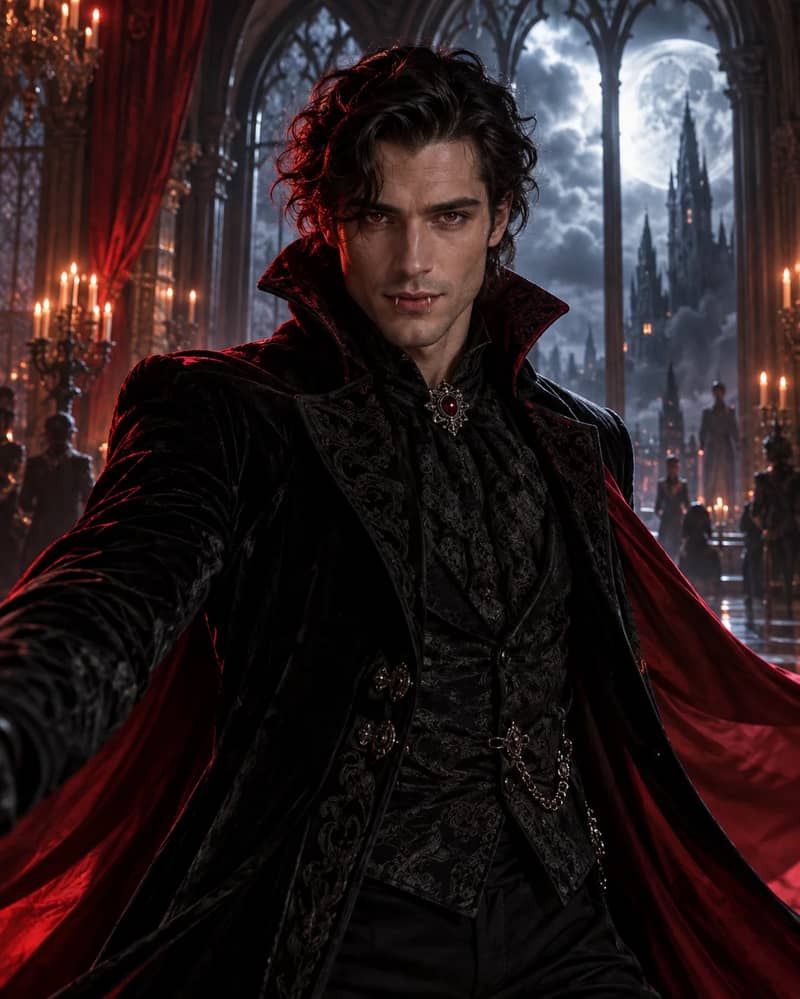
Vampire Portrait
Transform the person in this photo into an elegant vampire: pale skin, subtle fangs, deep red and black velvet cape with a high collar, candlelit gothic interior behind them, moody cinematic lighting. Keep their face, bone structure and identity exactly the same.
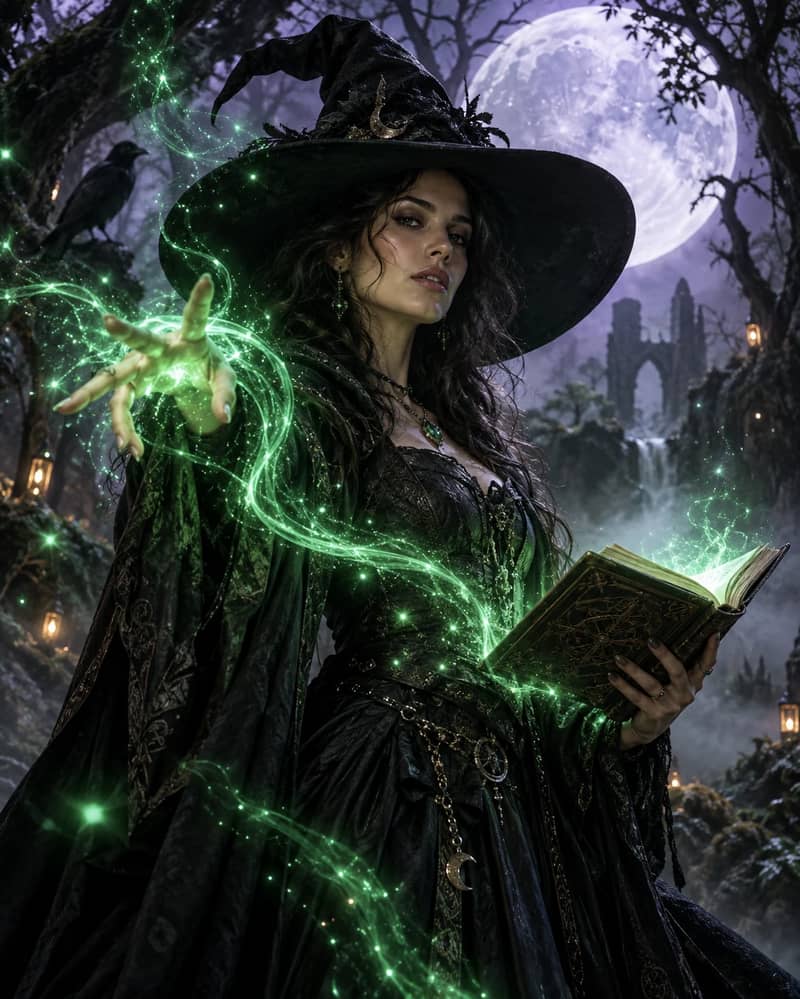
Witch
Transform the person in this photo into a witch: wide-brimmed pointed hat, layered dark cloak, soft green glow from a spellbook, misty forest at dusk behind them. Keep their face and identity exactly the same.
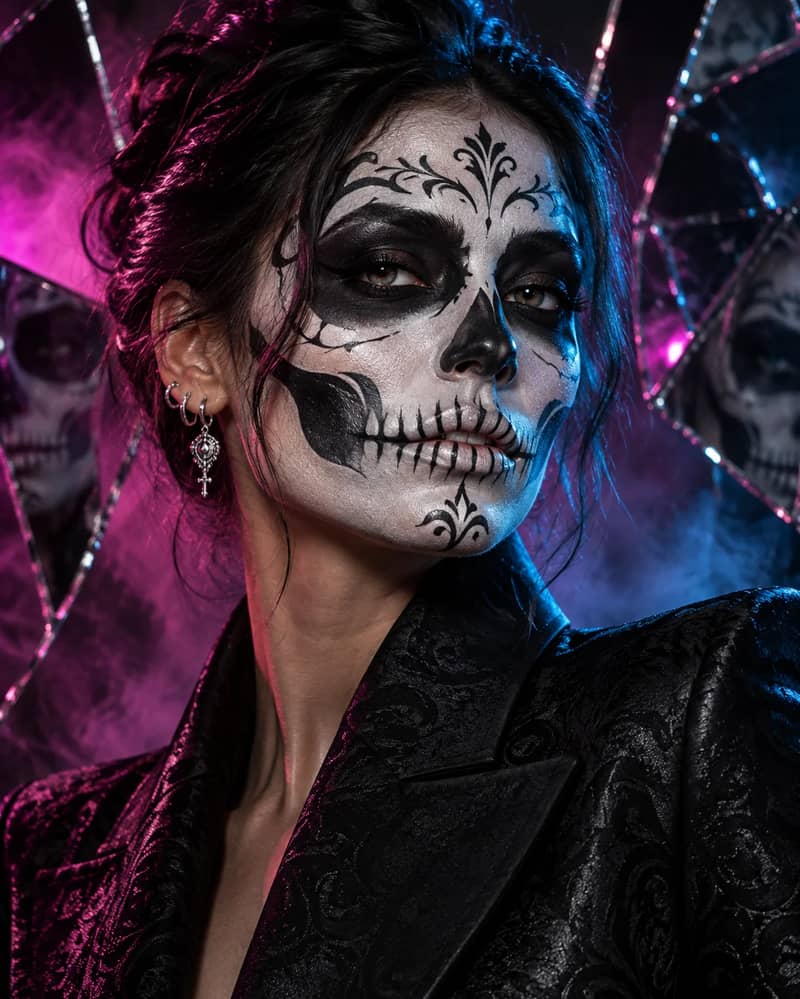
Skeleton Makeup
Give the person in this photo detailed black-and-white skeleton face paint: skull contours around the eyes and nose, painted teeth over the lips, black outfit, dark studio background with a single soft key light. Painted makeup, not a mask. Keep their facial structure and expression.
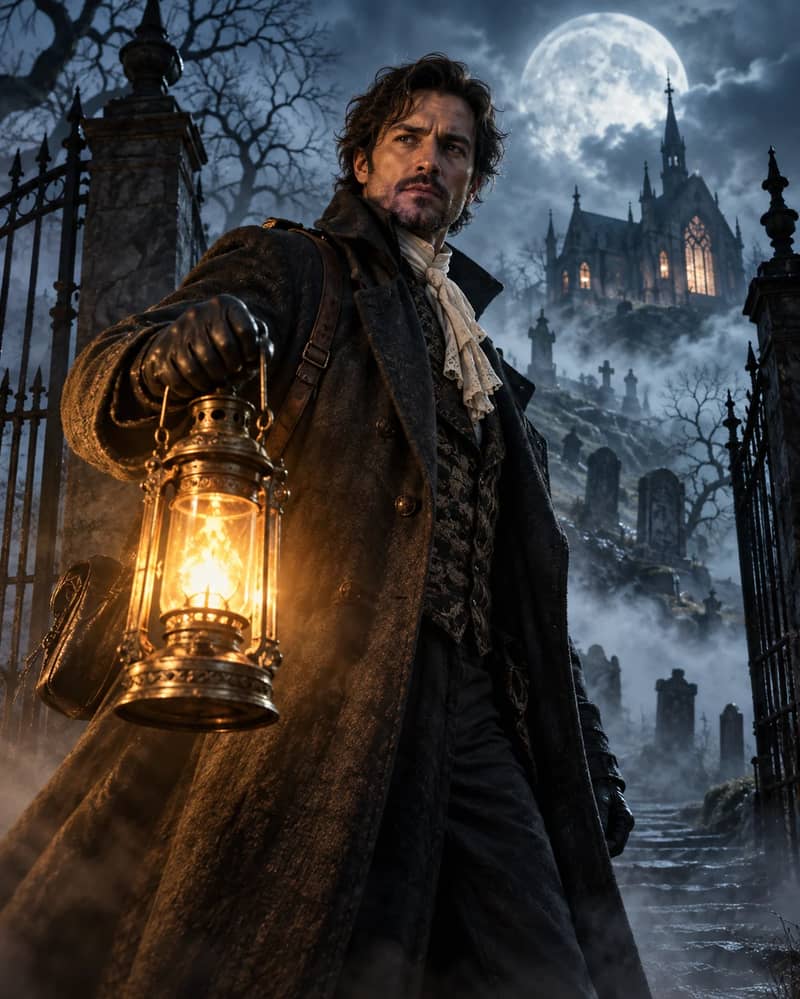
Haunted Victorian Portrait
Transform the person in this photo into a Victorian figure in a haunted graveyard: dark heavy overcoat, ivory lace cravat, leather gloves, holding a lit antique lantern, full moon and fog behind old headstones, cinematic moonlight. Keep their face and identity exactly the same.
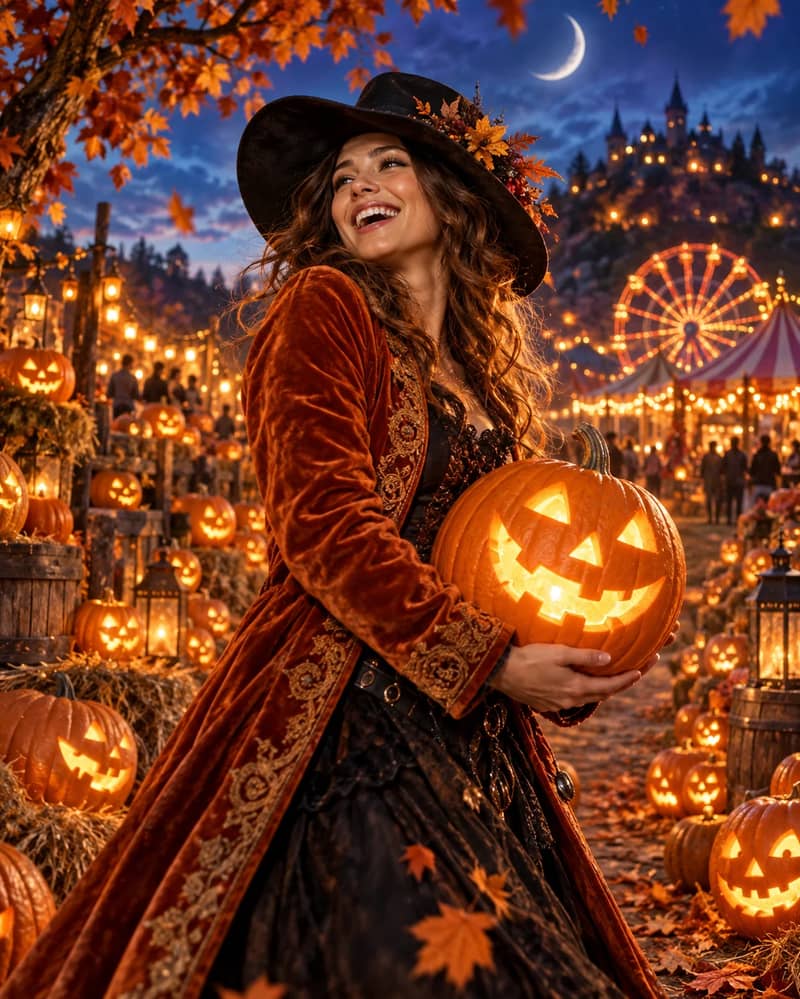
Pumpkin Patch Portrait
Place the person from this photo in a golden-hour pumpkin patch: carved jack-o'-lanterns around them, cosy knitted autumn clothing, warm low sunlight, hay bales and orange leaves. Cheerful and family-friendly. Keep their face and identity exactly the same.
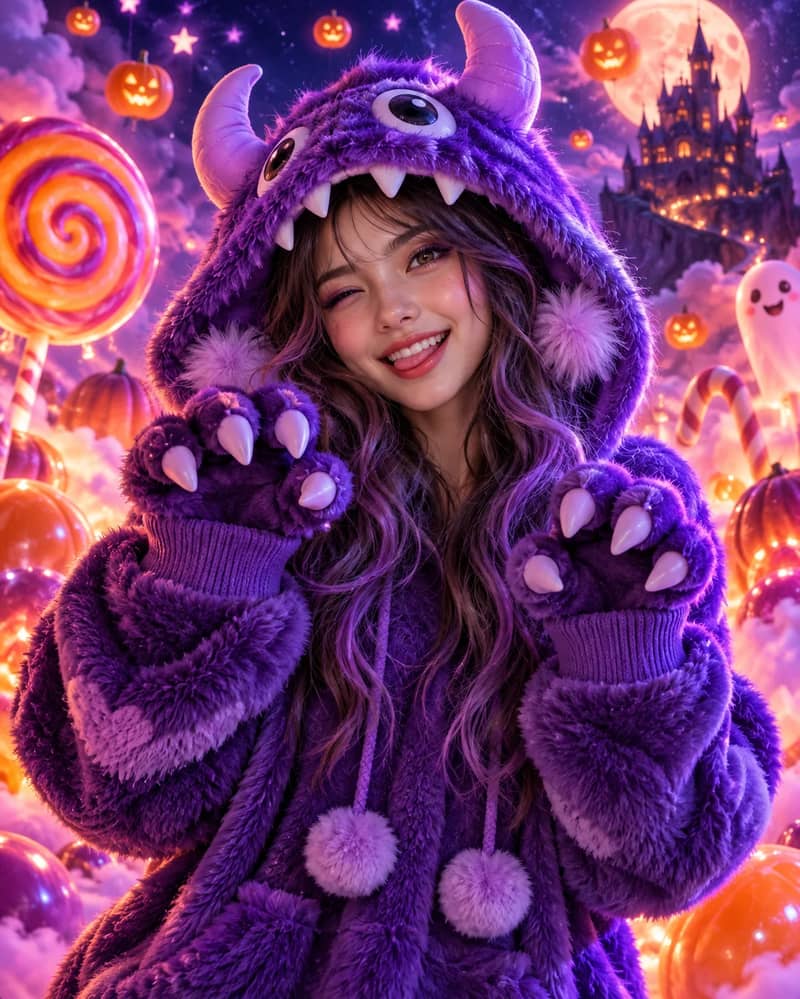
Cute Monster
Turn the person in this photo into a friendly cute monster: soft purple fur texture on the cheeks, small rounded horns, oversized cosy hoodie, bright playful colours, cheerful cartoon-lit background. Adorable rather than scary. Keep their face and expression recognisable.
Styles & Prompts
Halloween AI Photo Prompts & Costume Styles
Every style below comes with its full prompt. Tap one to load it into the generator above, or copy the prompt and edit it to make your own Halloween AI photo.
How It Works
How to Make a Halloween AI Photo in 3 Steps
About a minute from upload to download.
Upload your photo
Drop in a JPG, PNG, WebP or GIF — a clear, front-facing shot works best. For a couple or family costume, use one photo with everyone already in frame rather than separate headshots.
Pick a costume style or prompt
Tap one of the styles below to load its prompt, or write your own. Edit the wording freely — adding "keep my face unchanged" helps the AI hold onto your likeness.
Generate and download
Hit Generate and wait roughly 10 to 60 seconds. Download the full-resolution result straight away — no watermark, and it's yours to use commercially.
Use Cases
Halloween AI Photo Ideas: Profile Pictures, Couples, Pets & More
Try on costumes before you buy
Still deciding what to be this year? Run three or four costume ideas on the same selfie and compare them side by side — a full vampire look, a Halloween dress, or an easy costume built from jeans and a single accessory like cat ears or devil horns. It's a quick way to rule out the ones that don't suit you before spending money, and it often shows that the easy, last-minute version looks just as good.
A Halloween profile picture (pfp)
A Halloween pfp is the most common reason people open this tool. Square crops read best on Instagram, Discord and X, so pick a 1:1 ratio and choose a style with a clear silhouette — vampire, skeleton makeup or gothic glam all stay legible when shrunk to a 40-pixel avatar. Swap it back on November 1 and you've got a free seasonal refresh.
Matching couple and friend costumes
For a couple's Halloween AI photo, upload a picture with both of you already in frame rather than two separate headshots — the AI keeps two faces far more consistent when it starts from one image. Ask for matching or complementary costumes in the prompt, like "both dressed as Victorian ghosts" or "a witch and her black cat", and it will usually keep the pairing coherent.
Pet costumes
Putting your pet in a Halloween costume with AI saves you the argument with an actual cat. Upload a photo where your pet is looking towards the camera and describe something soft — a tiny witch hat, a pumpkin collar, a little cape. Keep it light: bulky costume descriptions tend to swallow the animal's face, and the whole point is that it still looks like your pet.
Family Halloween costumes
Family photos work best from a single group shot taken straight on, with everyone's face unobstructed. Name the theme rather than each person — "the whole family in coordinated pumpkin patch outfits" — and the AI will dress everybody in a consistent style instead of inventing four unrelated costumes.
Party invitations
Generate one portrait in the mood you want, then drop it into your invite with the date and address over the top. The retro horror poster style is built for this: high-contrast black and white leaves plenty of clean space for text, and it prints well even on cheap paper.
Tips
Tips for Better Halloween AI Photos
Face the camera
A straight-on or slight three-quarter angle gives the AI both eyes, the nose line and the jaw to work from. Steep angles, heavy tilts and profile shots are where likeness starts drifting.
Use even, generous light
Daylight near a window beats a dim room every time. Hard shadows across half the face get baked into the result, and once they're there no prompt will remove them.
Keep the background simple
A plain wall or uncluttered room means more of the generation budget goes to your costume instead of untangling what's behind you. Busy backgrounds also tend to bleed into the new scene.
Go in at a decent resolution
Aim for at least 1000 pixels on the short edge and upload the original rather than a screenshot of it. Files can be up to 10MB each. A compressed, re-saved image carries artifacts that survive into the output.
Don't hide the face
Sunglasses, a hand on the chin, a mask, hair across the eyes — anything covering your features gives the AI less to anchor to. Clear face in, recognisable face out.
Say what to keep, not just what to change
"Add a vampire cape" leaves your face negotiable. "Add a vampire cape and keep my face, hairline and skin tone unchanged" doesn't. Being explicit about what should survive is the single biggest quality lever.
For group photos, start from one frame
Two or more people should already be together in the source image. Stitching separate headshots into one scene is the hardest thing you can ask for, and it's where results get uncanny.
Iterate instead of over-specifying
A prompt stuffed with twenty details often produces less than a focused one. Generate, see what's off, then adjust that one thing and run it again.
Next Step
Turn Your Halloween AI Photo into a Video
Once you've got a costume portrait you like, you don't have to stop at a still. Feed it into image-to-video and the same character starts moving — a cape shifting in the wind, fog rolling past, the lantern flickering. A two-second loop makes a far better Instagram Story or party invite than a static frame, and it costs you nothing extra to try beyond the credits.
More Tools to Try
Halloween AI Photo Generator FAQ
Ready to Make Your Halloween AI Photo?
Upload one photo, pick a style, and see yourself in costume in under a minute. Free credits are waiting in your account.