
Grok Video Generator — Free Limits, Daily Quotas & How to Use It
A complete guide to the Grok AI video generator: text-to-video and image-to-video modes, what's free, SuperGrok daily quota breakdown, resolution caps, and an alternative with no reset window.
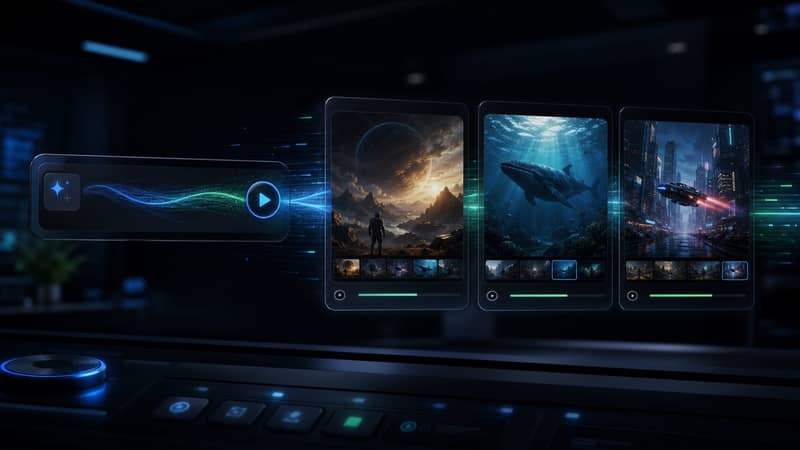
Examples
Configure parameters and click Generate
Cinematic Motion
A cinematic shot with smooth camera movement and realistic lighting.
Dynamic Product Scene
A product-focused video with polished motion and detailed textures.
Creative Story Beat
A short visual story with expressive motion and atmospheric composition.
Pro Narrative Shot
A refined cinematic sequence with stable framing and rich scene detail.
Audio-Ready Scene
A polished video scene designed for expressive motion and audio support.
Studio Composition
A controlled scene with deliberate movement and professional lighting.
Get Started
How to Use the Grok Video Generator (Step-by-Step)
- 1
Open grok.com in your browser or launch the Grok mobile app and sign in to your X account.
- 2
Click the Imagine tab in the left sidebar — this is where Grok image and video generation both live.
- 3
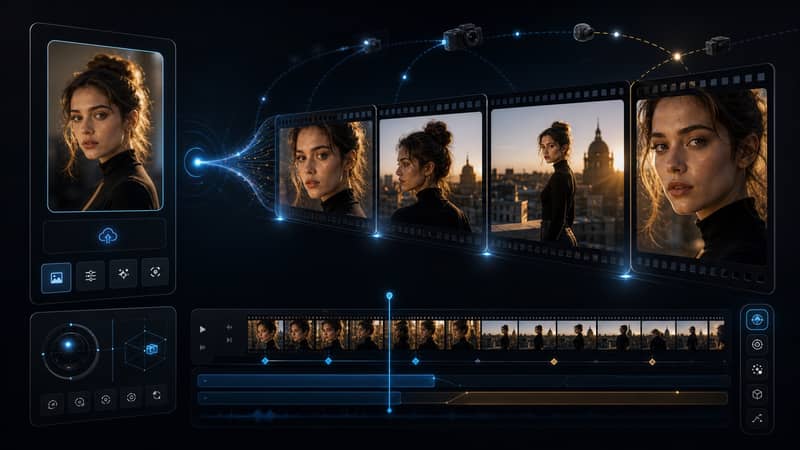
For text-to-video: type a descriptive prompt in the text field (scene, camera motion, lighting, style). For image-to-video (grok ai image to video): click the upload icon first and attach a photo from your device.
- 4
Look for the Video toggle or select Video from the output-format dropdown. This option only appears if your subscription tier includes video generation — free accounts and standard X Premium users cannot access the grok video ai feature.
- 5
Select video length — 5 seconds or 10 seconds depending on your plan — then click Generate.
- 6
Wait for rendering to complete (typically 30–90 seconds). Preview the clip and download it, or refine your prompt and regenerate. Each attempt draws from your daily video quota. For more generations without a daily reset, try X Imagine AI below.
Prompt Library
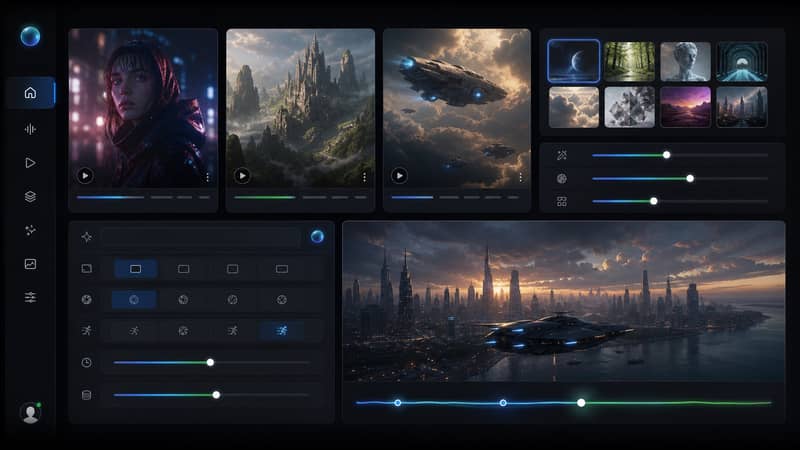
10 Ready-to-Copy Grok Video Generator Prompts
Paste any prompt directly into the Grok AI video generator or into X Imagine AI for instant results. Covers text-to-video and image-to-video styles.
Cinematic opener (text-to-video)
A slow aerial reveal of a misty coastal cliff at dawn, fog rolling off the water, golden light breaking through low clouds, sweeping crane shot, film grain, anamorphic bokeh.
Image-to-video — portrait animation
Animate this portrait: gentle head turn toward the camera, natural hair movement from a soft breeze, realistic blinking, warm studio light.
Urban timelapse (text-to-video)
A city intersection at blue hour, time-lapse, car light trails streaking through frame, pedestrians motion-blurred, neon signs reflected on wet pavement, wide-angle establishing shot.
Anime action scene (text-to-video)
Anime style, a warrior leaping across rooftops in a neon-lit city, rain falling in slow motion, dramatic low-angle, speed lines, Studio Ghibli color palette.
Image-to-video — product reveal
Slowly orbit around this product image, soft key light, subtle lens flare, reflections on a black glass surface, premium commercial feel.
Sci-fi environment (text-to-video)
An alien megastructure emerging from a gas nebula, volumetric light shafts, hyperrealistic CGI render, IMAX-scale detail, no camera shake, deep-space color grade.
Nature micro-shot (text-to-video)
Extreme close-up of a raindrop hitting a lotus leaf in slow motion, 120fps feel, macro lens, soft natural backlight, water droplets scattering outward.
Image-to-video — landscape photo
Add gentle motion to this landscape: clouds drifting slowly, ripples on the water surface, a bird crossing the far background, no abrupt motion.
Fantasy scene (text-to-video)
A medieval castle materializing from thick fog at sunrise, magical particles rising upward, epic wide establishing shot, sweeping camera pull-back, fantasy film color grade.
Minimalist loop (text-to-video)
A perfectly looping animation of white sand dunes shifting in slow motion, overhead top-down shot, high-contrast shadows, zen aesthetic, seamless 6-second loop.
Grok Video Generator Daily Limits by Plan
Free tier, X Premium, SuperGrok, and X Imagine AI compared: video access, daily quota, length, resolution, and subscription cost.
| Feature | Free / X Premium | SuperGrok Lite | SuperGrok | X Imagine AI |
|---|---|---|---|---|
| Video generation access | ✗ Not available | ✗ Not available | ✓ Included | ✓ Included |
| Videos per day (approx.) | — | — | Limited quota | No daily cap |
| Max video length | — | — | Up to 10 seconds | Up to 15 seconds |
| Resolution | — | — | Up to 720p | Up to 1080p |
| Text-to-video | ||||
| Image-to-video | ||||
| Subscription cost | $0 / $8 mo | ~$10/mo | $30/mo | ✗ None |
| Daily quota resets | — | — | Midnight UTC | Credits don't reset daily |
XImagineAI Pricing for AI Image & Video Generation
X Imagine AI brings Grok Imagine image generation, Grok Video creation, and Spicy Mode together on a single platform — with credits you can buy annually, subscribe to monthly, purchase for a project, or keep forever with a Lifetime Credit Pack. No X Premium subscription. No hitting a daily generation limit mid-project. 15,000+ creators, studios, and agencies have already made the switch.
Annual one-time payment, credits valid for 12 months
Annual Starter
29% OFFYearlyLowest monthly rate for a full year of creation
≈ $30.00 per 1,000 credits
Creators · Solo Artists
Annual access at the lowest monthly entry price
- Grok Imagine1K
- Nano Banana 21K
- GPT Image 2Limited-time unlock
- Grok Imagine 1.5480p
- Seedance 2.5Limited-time unlock
- Kling 3.0Limited-time unlock
- 4,000 AI generation credits
- Grok Imagine image generation — full access
- Grok Video generation — cinematic AI video
- Spicy Mode unlocked
- Flux-based engine — advanced processing
- Professional-grade output quality
- Priority generation queue — no wait
- 12-month credit validity
- $120 billed once for the year
- No X Premium subscription needed
Annual Creator
17% OFFMost PopularMore annual credits for consistent creative output
≈ $25.00 per 1,000 credits
Creators · Studios
A balanced annual plan for regular Grok Imagine and Grok Video use
- Grok Imagine2K
- Nano Banana 22K
- GPT Image 21K
- Grok Imagine 1.5720p
- Seedance 2.5480p
- Kling 3.0Limited-time unlock
- 9,600 AI generation credits
- Grok Imagine image generation — full access
- Grok Video generation — cinematic AI video
- Image-to-video conversion
- Spicy Mode — unlimited access
- Flux-based engine — advanced processing
- Professional-grade output quality
- Priority generation queue — no wait
- 12-month credit validity
- $240 billed once for the year
- No X Premium subscription needed
Annual Studio
20% OFFHigh-volume annual credits for serious production
≈ $24.38 per 1,000 credits
Studios · Teams · Agencies
Built for high-volume annual creative production
- Grok Imagine2K
- Nano Banana 24K
- GPT Image 22K
- Grok Imagine 1.51080p
- Seedance 2.5720p
- Kling 3.0Limited-time unlock
- 19,200 AI generation credits
- Grok Imagine image generation — unrestricted
- Grok Video generation — cinematic AI video
- Image-to-video conversion
- Spicy Mode — unlimited access
- Flux-based engine — advanced features
- Ultra-high resolution output
- Priority generation — no queue
- Batch image processing
- 12-month credit validity
- $468 billed once for the year
- Priority technical support
Annual Scale
34% OFFMaximum annual credits for teams and agencies
≈ $21.07 per 1,000 credits
Agencies · Production Teams · Businesses
The largest annual credit pool for sustained production
- Grok Imagine4K
- Nano Banana 24K
- GPT Image 24K
- Grok Imagine 1.51080p
- Seedance 2.51080p
- Kling 3.01080p
- 33,600 AI generation credits
- Grok Imagine image generation — unrestricted
- Grok Video generation — cinematic AI video
- Image-to-video conversion
- Spicy Mode — unlimited access
- Flux-based engine — advanced features
- Ultra-high resolution output
- Priority generation — no queue
- Batch image processing
- 12-month credit validity
- $708 billed once for the year
- Priority technical support
Annual Starter
29% OFFYearlyLowest monthly rate for a full year of creation
≈ $30.00 per 1,000 credits
Creators · Solo Artists
Annual access at the lowest monthly entry price
- Grok Imagine1K
- Nano Banana 21K
- GPT Image 2Limited-time unlock
- Grok Imagine 1.5480p
- Seedance 2.5Limited-time unlock
- Kling 3.0Limited-time unlock
- 4,000 AI generation credits
- Grok Imagine image generation — full access
- Grok Video generation — cinematic AI video
- Spicy Mode unlocked
- Flux-based engine — advanced processing
- Professional-grade output quality
- Priority generation queue — no wait
- 12-month credit validity
- $120 billed once for the year
- No X Premium subscription needed
Annual Creator
17% OFFMost PopularMore annual credits for consistent creative output
≈ $25.00 per 1,000 credits
Creators · Studios
A balanced annual plan for regular Grok Imagine and Grok Video use
- Grok Imagine2K
- Nano Banana 22K
- GPT Image 21K
- Grok Imagine 1.5720p
- Seedance 2.5480p
- Kling 3.0Limited-time unlock
- 9,600 AI generation credits
- Grok Imagine image generation — full access
- Grok Video generation — cinematic AI video
- Image-to-video conversion
- Spicy Mode — unlimited access
- Flux-based engine — advanced processing
- Professional-grade output quality
- Priority generation queue — no wait
- 12-month credit validity
- $240 billed once for the year
- No X Premium subscription needed
Annual Studio
20% OFFHigh-volume annual credits for serious production
≈ $24.38 per 1,000 credits
Studios · Teams · Agencies
Built for high-volume annual creative production
- Grok Imagine2K
- Nano Banana 24K
- GPT Image 22K
- Grok Imagine 1.51080p
- Seedance 2.5720p
- Kling 3.0Limited-time unlock
- 19,200 AI generation credits
- Grok Imagine image generation — unrestricted
- Grok Video generation — cinematic AI video
- Image-to-video conversion
- Spicy Mode — unlimited access
- Flux-based engine — advanced features
- Ultra-high resolution output
- Priority generation — no queue
- Batch image processing
- 12-month credit validity
- $468 billed once for the year
- Priority technical support
Annual Scale
34% OFFMaximum annual credits for teams and agencies
≈ $21.07 per 1,000 credits
Agencies · Production Teams · Businesses
The largest annual credit pool for sustained production
- Grok Imagine4K
- Nano Banana 24K
- GPT Image 24K
- Grok Imagine 1.51080p
- Seedance 2.51080p
- Kling 3.01080p
- 33,600 AI generation credits
- Grok Imagine image generation — unrestricted
- Grok Video generation — cinematic AI video
- Image-to-video conversion
- Spicy Mode — unlimited access
- Flux-based engine — advanced features
- Ultra-high resolution output
- Priority generation — no queue
- Batch image processing
- 12-month credit validity
- $708 billed once for the year
- Priority technical support
Quota
How to Check Your Remaining Grok Video Quota
- 1
Go to grok.com and sign in to the X account linked to your subscription.
- 2
Open the Imagine tab and attempt to start a video generation — Grok displays your remaining quota or a limit warning inside the generation panel.
- 3
If no quota indicator appears, check your subscription tier at x.com/settings/subscriptions to confirm whether you have SuperGrok (video-enabled) or a standard plan.
- 4
When you see a "heavy usage" or rate-limit message, your grok ai video generation daily limit has been reached and will reset at midnight UTC. To continue generating without waiting, switch to X Imagine AI — credits never reset on a 24-hour schedule.
What Is the Grok Video Generator?
The Grok video generator is xAI's AI-powered video creation feature inside Grok Imagine. It supports two modes: text-to-video, where you describe a scene and Grok synthesizes video from scratch, and grok image to video (also called image-to-video), where you upload a still photo and the model animates it with motion. Both modes use xAI's video diffusion model and output short clips — currently up to 10 seconds at 720p resolution. Access is gated by your X subscription tier. The free tier and standard X Premium plan ($8/month) do not include video generation. You need SuperGrok ($30/month) to unlock the grok video ai feature.
Grok Video Generator Free Limits vs SuperGrok
There is no such thing as a truly free grok video generator on Grok itself — video requires SuperGrok. On the free plan, only basic text queries and limited image generation are available. On SuperGrok ($30/month), video is unlocked but governed by the grok video generation daily limit: approximately 10–15 short clips per day before the quota resets at midnight UTC. Unused daily video quota does not roll over. The supergrok video generation daily limit is the single biggest constraint for professional or high-volume users, since a project with multiple iterations can exhaust the daily allowance within a single work session. Grok AI video generation limits per day are not officially published by xAI and can vary with server load.
Grok Image to Video: Text-to-Video vs Image-to-Video
When using grok ai image to video mode, you start with a photo — a portrait, product shot, or landscape — and Grok adds natural motion: camera movement, ambient animation, or subject motion. This works best when the source image has clear composition and a subject that can plausibly move. Text-to-video requires no source image: you describe the scene in natural language, including camera motion, lighting, style, and mood, and the model synthesizes original footage. Both modes draw from the same grok imagine video generation daily limit pool, so choosing between them is a creative decision, not a quota one. Image to video grok free is not available — both modes require SuperGrok.
Why the Grok Imagine Video Generation Daily Limit Matters
The grok imagine video generation daily limit resets at midnight UTC regardless of how many videos you actually created. Miss a day of work and that quota is gone. Heavy iterating — testing 5–10 prompt variations per concept — can exhaust the supergrok video generation daily limit within hours. xAI has not published exact numbers for the grok ai video generation limits per day, and the grok imagine video generation daily limit can temporarily drop further during peak server demand. For creative professionals or anyone with deadline-driven video needs, a platform with no daily cap is often more practical. X Imagine AI uses a credit model: buy a pack, generate videos as needed within the validity window, with no reset at midnight.
Related
For a deeper look at credits, resolution, and subscription cost comparisons, see our Grok Video Generation guide — or go straight to the Grok Video tool. Curious what sparked the recent hype? Read about Elon Musk's AI Odyssey film announcement.
Cinematic video generation arrived with the 1.5 update. See how Grok Imagine 1.5 compares to 1.0 and whether SuperGrok is required. Grok Imagine 1.5 — what’s new and how to access it →
Want animation instead of live-action? Try the AI animated video generator.
Grok Video Generator — Frequently Asked Questions
Free to Start
Video Generation Without the Daily Limit.
X Imagine AI supports text-to-video and image-to-video at 1080p — no SuperGrok subscription, no daily quota reset. Credits start at $19 and stay valid for 2 months.